
Sport Profiles, Thresholds & Zones
Map activity types and configure the physiology and target policy used for workout generation and analysis.
Open Settings → Profile → Sport Settings. Create separate profiles when sports or recording contexts need different thresholds, zones, or target styles.
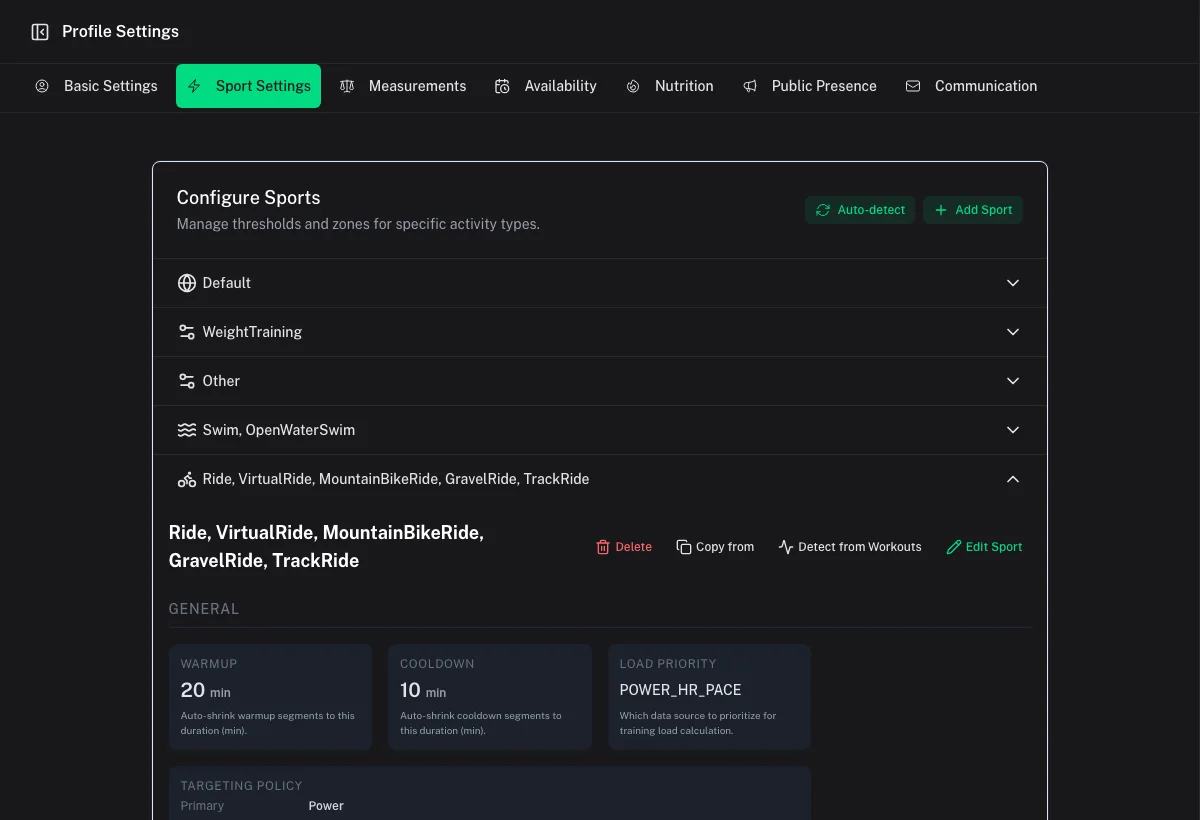
Profile name and activity types
Give each profile a recognizable name and assign the activity types it should handle. Coach Watts uses this mapping to choose settings during generation, analysis, and sync.
Avoid assigning the same activity type to multiple profiles unless you understand the overlap. Coach Watts warns about overlaps because they can produce unexpected zone or target choices.
Workout defaults
Profiles can define:
- Default warm-up and cooldown duration
- Training-load priority
- Primary target metric and fallback order
- Exact, range, or zone-based target style
- Whether steady work prefers ranges
- Whether the primary metric is strict
- Whether a step may contain mixed target metrics
- Formatting for heart-rate, power, pace, and cadence targets
These defaults primarily influence newly generated or updated workout structures. Existing source recordings do not change.
Cycling settings
Cycling profiles can include FTP, estimated FTP, indoor FTP, W′, Pmax, spike handling, and power zones. Use indoor FTP when indoor performance consistently differs from outdoor performance.
Power-zone recalculation derives new zone boundaries from the chosen threshold. Review custom zones before replacing them.
Heart-rate settings
Set LTHR, maximum HR, resting HR, load method, and heart-rate zones. LTHR-based and maximum-HR-based zone systems answer different questions; choose the method that matches your testing and training practice.
Pace settings
Running and other pace-based profiles can define threshold pace, pace units, pace zones, and pace target formatting. Confirm whether a faster pace is represented by a lower time value when reviewing changes.
Detect from recent workouts
Use Detect from Workouts to review proposed FTP, estimated FTP, LTHR, maximum HR, or threshold-pace changes.
- Run detection for the relevant profile.
- Select only the values you trust.
- Choose whether to recalculate power or HR zones.
- Apply and save.
Detection uses recent workout evidence and may be distorted by bad sensor data, racing spikes, or an unrepresentative training period.
Missing-value warnings
Coach Watts may warn that a profile lacks values needed for reliable targeting. These warnings do not always block saving. Use Continue Editing to fix them or Save Anyway when the missing metric is intentionally unused.
When changes take effect
Threshold and zone changes affect future calculations and generated targets. Previously generated planned workouts can retain a settings snapshot; regenerate or deliberately update a structure when you want current zones applied.