
Connected Apps & Sync Settings
Connect providers, choose ingestion behavior, manage source preferences, and safely revoke access.
Open Settings → Apps to review connected and available applications.
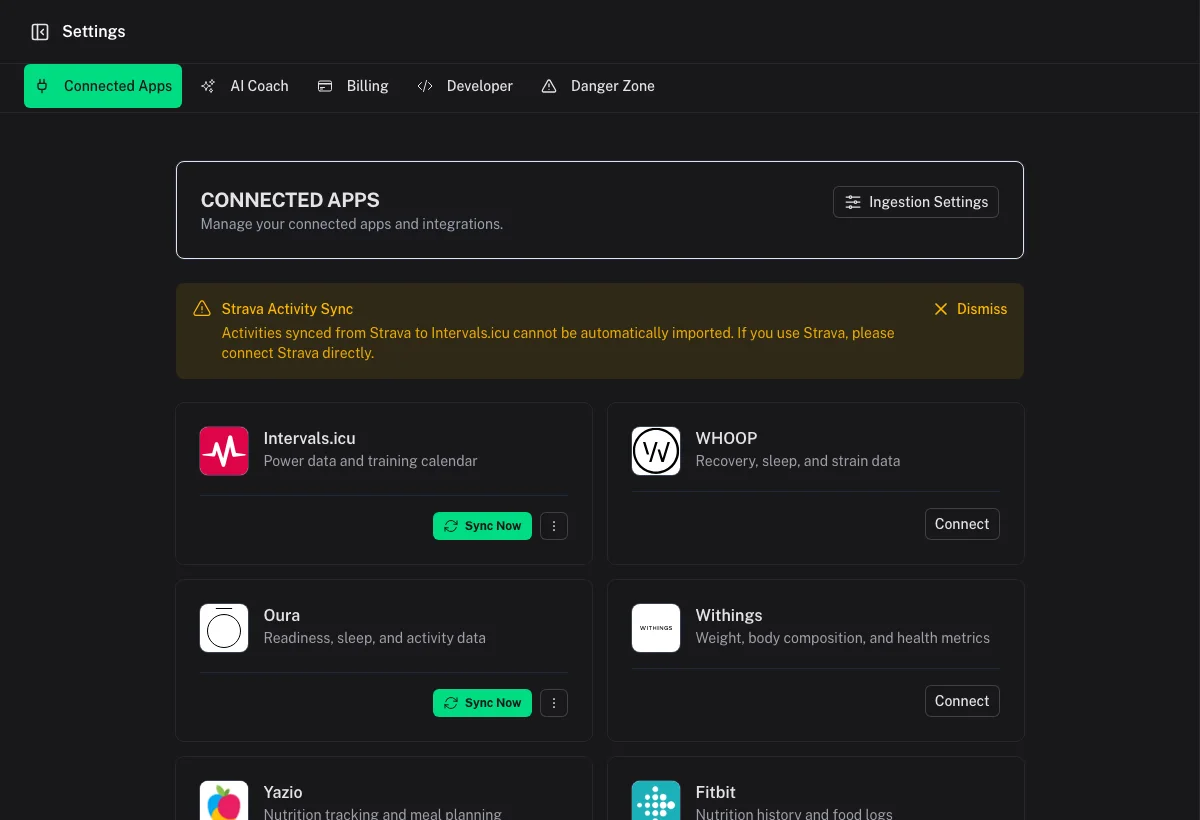
Connect an application
Select the provider and complete its authorization or credential flow. Return to Apps and verify that it shows as connected before starting another connection.
Each provider supplies different data. Review the relevant integration guide for supported workouts, wellness, measurements, nutrition, and limitations.
Provider settings
Connected providers can expose settings such as whether to ingest activities, wellness, or other supported records. Keep one clear primary path for each data category where possible.
If the same activity travels through multiple services, connect the direct recording source or enable deduplication rather than relying on titles alone.
Automatic deduplication after ingestion
Open Ingestion Settings to enable or disable automatic workout deduplication.
- It affects future imports.
- It does not change existing duplicate links.
- Manual scanning from Activities → Deduplicate remains available.
See Duplicate Workouts & Versions for matching and review behavior.
Synchronize data
Use the provider's sync action or the Dashboard sync control when available. Initial historical imports take longer than incremental synchronization. Avoid repeatedly starting sync while one is still running.
Disconnect or revoke
Disconnecting or revoking removes future access for that provider. Existing Coach Watts records normally remain until you delete them or use a Danger Zone wipe.
After reconnecting, the source may resend historical records. Leave automatic deduplication enabled or review the activity history afterward.
Source conflicts
When metrics differ between providers:
- Open both workout versions.
- Compare source attribution and detailed streams.
- Promote the better version or unlink the sessions if they are different.
- Adjust provider ingestion or measurement-source preference to prevent recurrence.