
Nutrition
Track daily nutrition, follow fueling windows, and sync meal data with Coach Watts.
Coach Watts goes beyond calorie counting with dynamic periodized fueling — your daily targets adapt to workout intensity, training phase, and personal sensitivity.
For the science behind calculations, see Nutrition & Fueling Logic. This guide covers how to use nutrition features day to day.
Daily nutrition view
Open Nutrition from the sidebar. Each day shows:
- Target calories and macros — adjusted for that day's training load
- Fueling windows — PRE, INTRA, and POST workout timing
- Logged meals — entries from manual logging or Yazio sync
- Adherence scores — how closely intake matches targets
Navigate between days using the date picker or sidebar shortcuts (Today, Tomorrow, Yesterday).
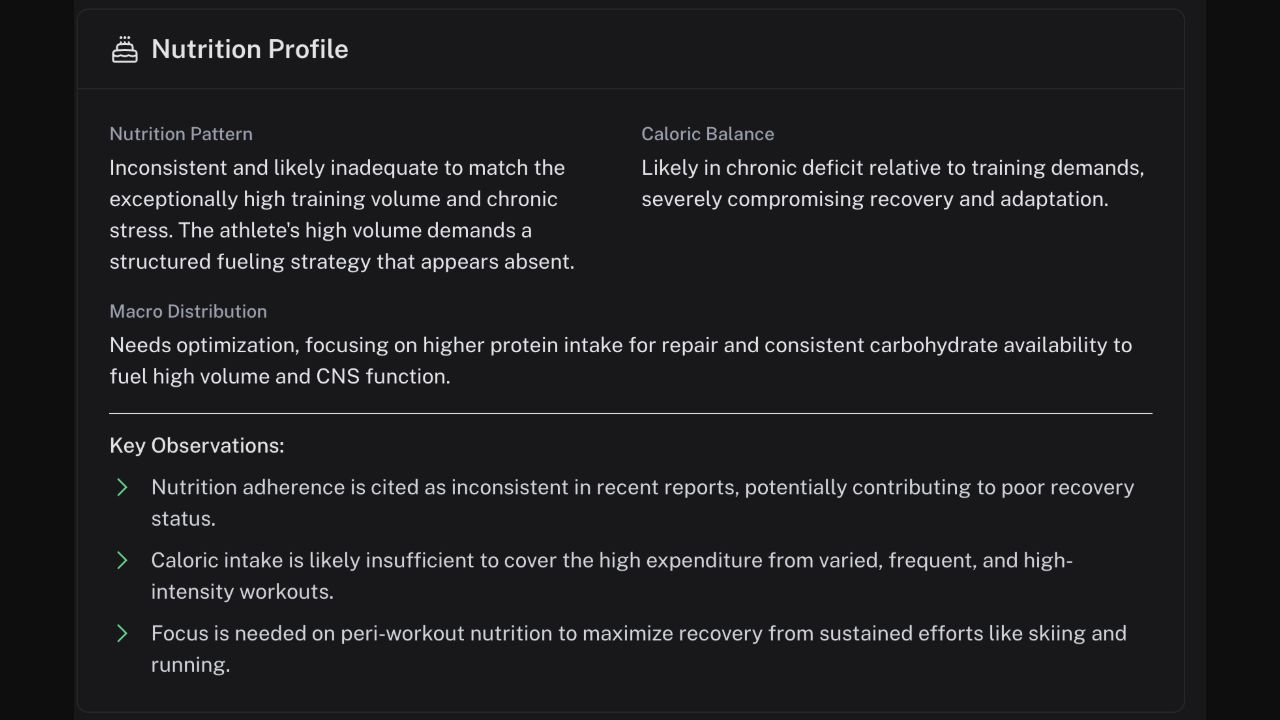
The profile summary turns your logged intake into a short, actionable picture of the habits most likely to affect recovery.
How daily targets are set
Your targets combine:
- Basal metabolic rate — calculated from age, weight, height, and sex
- Activity level — NEAT multiplier for daily movement
- Workout fuel state — Eco, Steady, or Performance based on session intensity
- Training phase — Base, Build, or Race presets
- Fueling sensitivity — your personal carb scaling factor
Workout days add structured fueling windows. Rest days maintain baseline targets without workout-specific windows.
Logging food
Manual entry
Add meals directly on the nutrition page:
- Select a meal slot (breakfast, lunch, dinner, snack)
- Enter calories, protein, carbs, and fat
- Save — adherence scores update immediately
Yazio sync
Connect Yazio to import logged meals automatically. Coach Watts maps Yazio entries to the correct day and meal slot.
Fueling windows
On training days, nutrition is structured around your workout:
| Window | Purpose |
|---|---|
| PRE | Prime glycogen before the session |
| INTRA | Sustain energy during efforts over 90 minutes |
| POST | Recovery and muscle protein synthesis |
The AI coach can suggest specific meals for each window. Ask in Chat:
- "What should I eat before tomorrow's long ride?"
- "Give me a post-workout meal with 40g protein."
Nutrition analysis scores
The AI scores your daily nutrition on:
- Overall — holistic daily quality
- Macro balance — protein, carb, and fat distribution
- Quality — food choices relative to training demands
- Adherence — how closely you hit targets
- Hydration — fluid intake relative to sweat loss estimates
Settings
Configure nutrition behavior in Profile → Settings → Nutrition:
- Fueling sensitivity multiplier
- Training phase preset
- Fuel state intensity thresholds
- Weight goal (lose, maintain, gain)